Read your script. Look at the lens. Cue is a teleprompter app for iPhone and iPad.
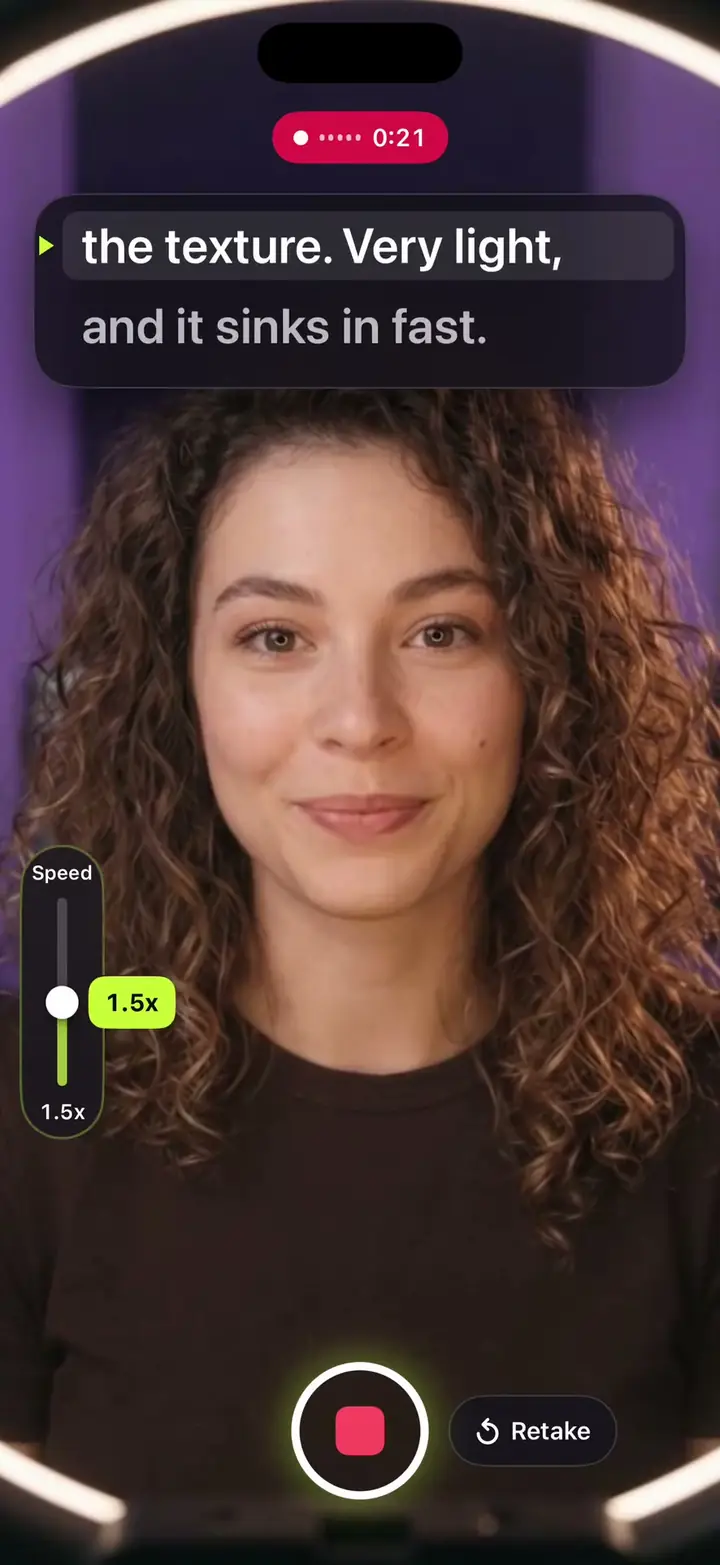
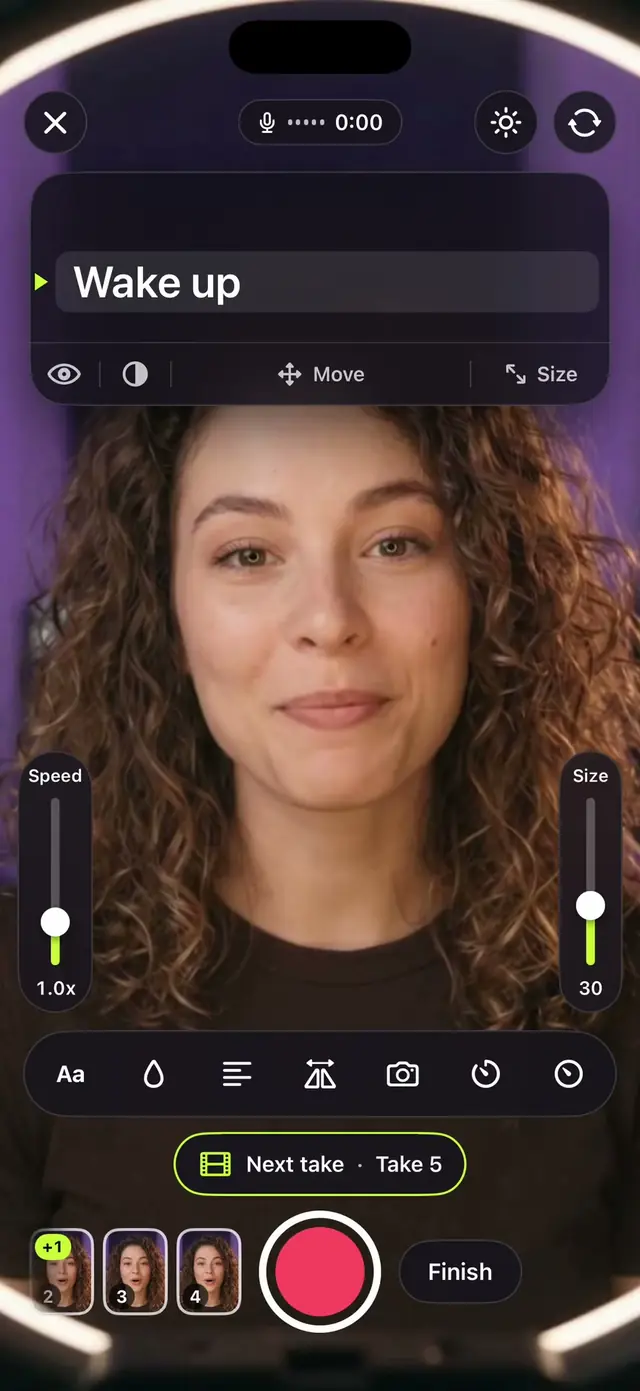
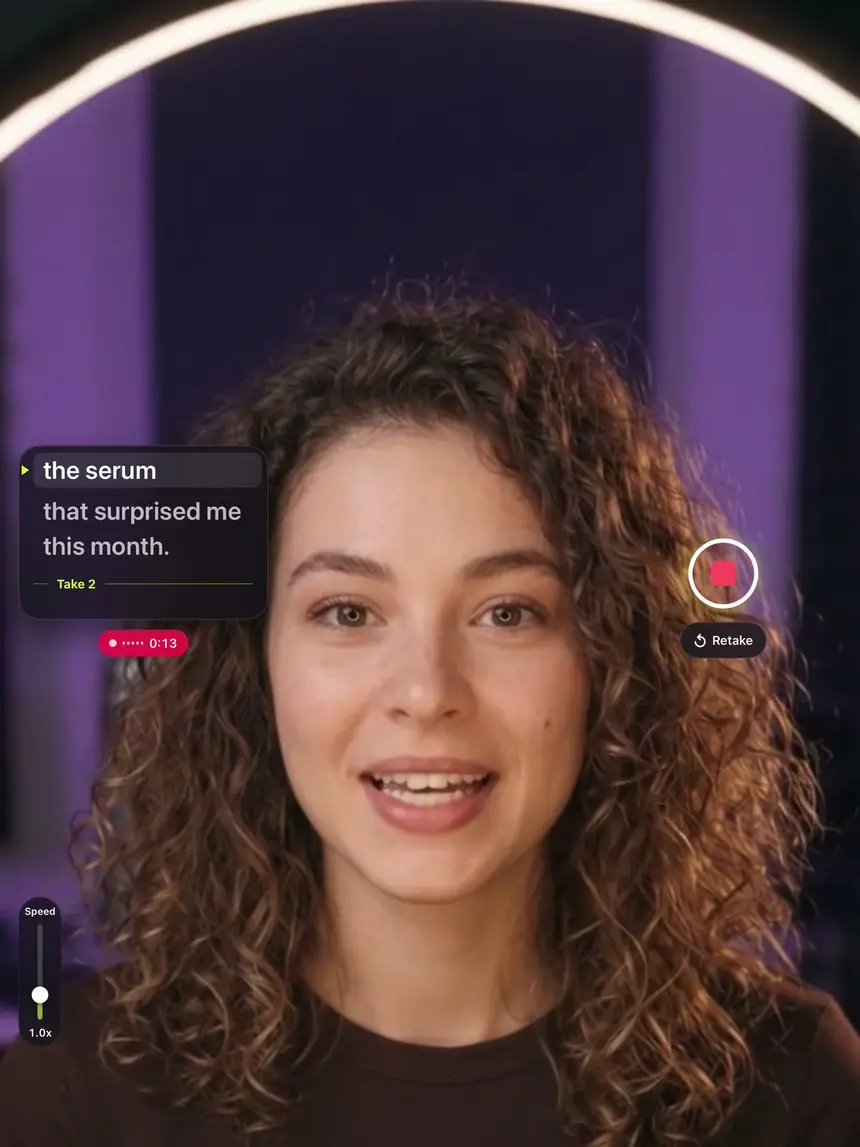
Read every word on the camera screen while you film.

Free to download.
Cue Pro is optional.
Write your own
cue card.
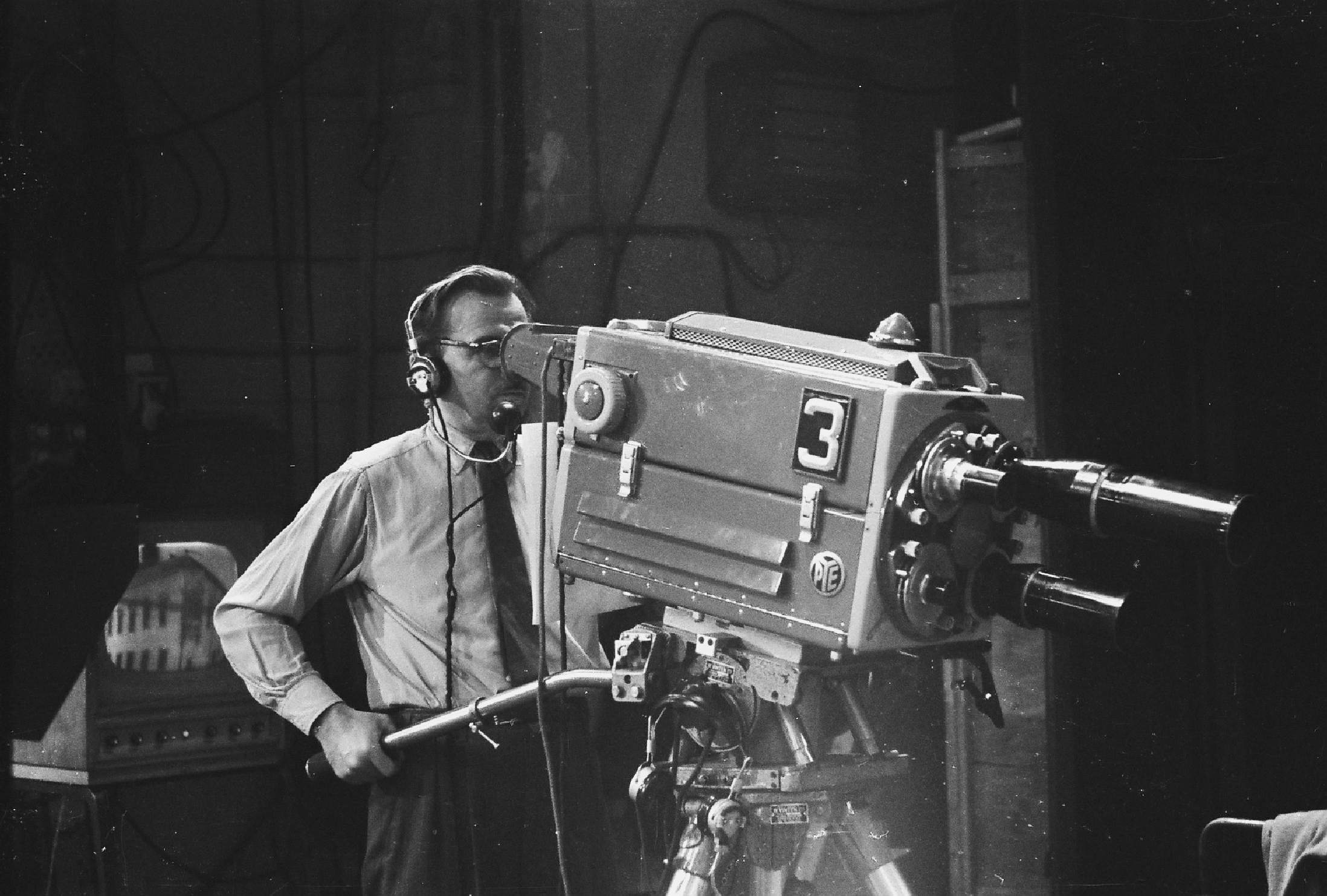
On a TV floor the script was held up on a card beside the camera, so the eyes went to the card. Write yours, press the button, and Cue moves it to the top of the camera screen.

ABC television studio, Hobart, 1963
From card to video.
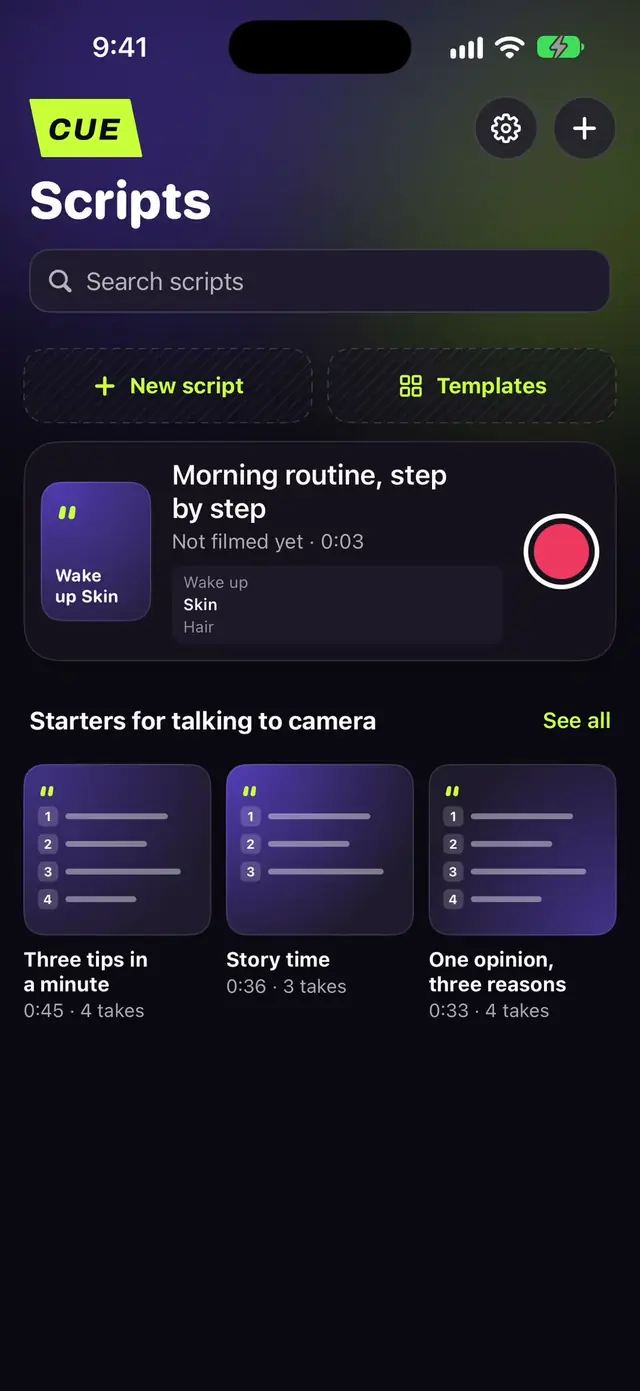
First, bring in
your script.
Then read it
on the camera screen.
Redo any take
on its own.
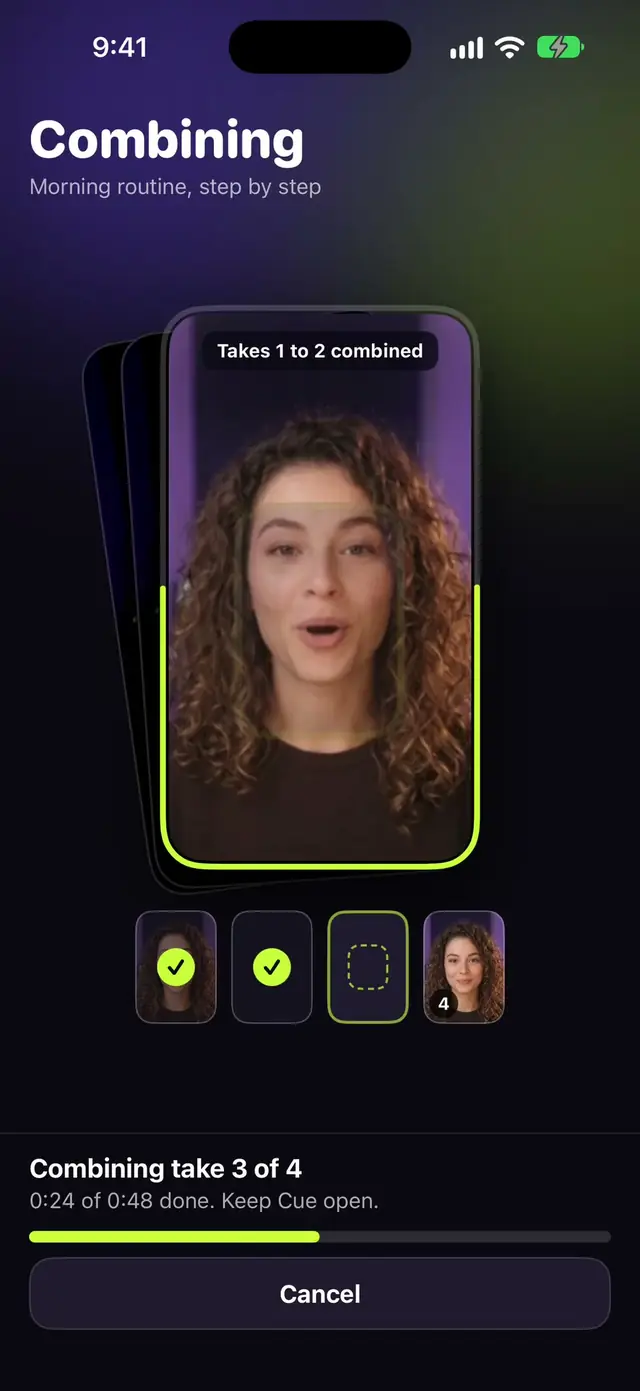
Cue joins them.
Saved to Photos.
Film in takes.
Get one video.
Read on the camera screen, film in takes, save one video. The script stops at each break. Redo any take on its own. Cue joins them at full quality and saves the video to Photos.
The script scrolls by itself
At a steady speed. The line at the arrow is the one you read.
Text size
Drag the Size rail to make the words bigger or smaller.
Script mirror
Flips the text for a prompter glass rig.
Your script in your language.
The app, its templates and the prompter come in 10 languages (Spanish for Spain and Mexico), and Arabic scripts read right to left.
- Look at
the lens.English - انظر إلى العدسة.العربية
- Schau ins
Objektiv.Deutsch - Mira al
lente.Español (México) - Mira al
objetivo.Español (España) - Regarde
l'objectif.Français - Guarda
l'obiettivo.Italiano - レンズを
見て。日本語 - Olhe para
a lente.Português (Brasil) - Lense
bak.Türkçe
New in Cue Pro
Play a video, read your script while it plays, and Cue puts your voice over it.
Writes a script from a topic, fits it to a time, translates it and writes hooks.
Open a script from Files or a PDF, or share it to Cue from Notes or Safari.
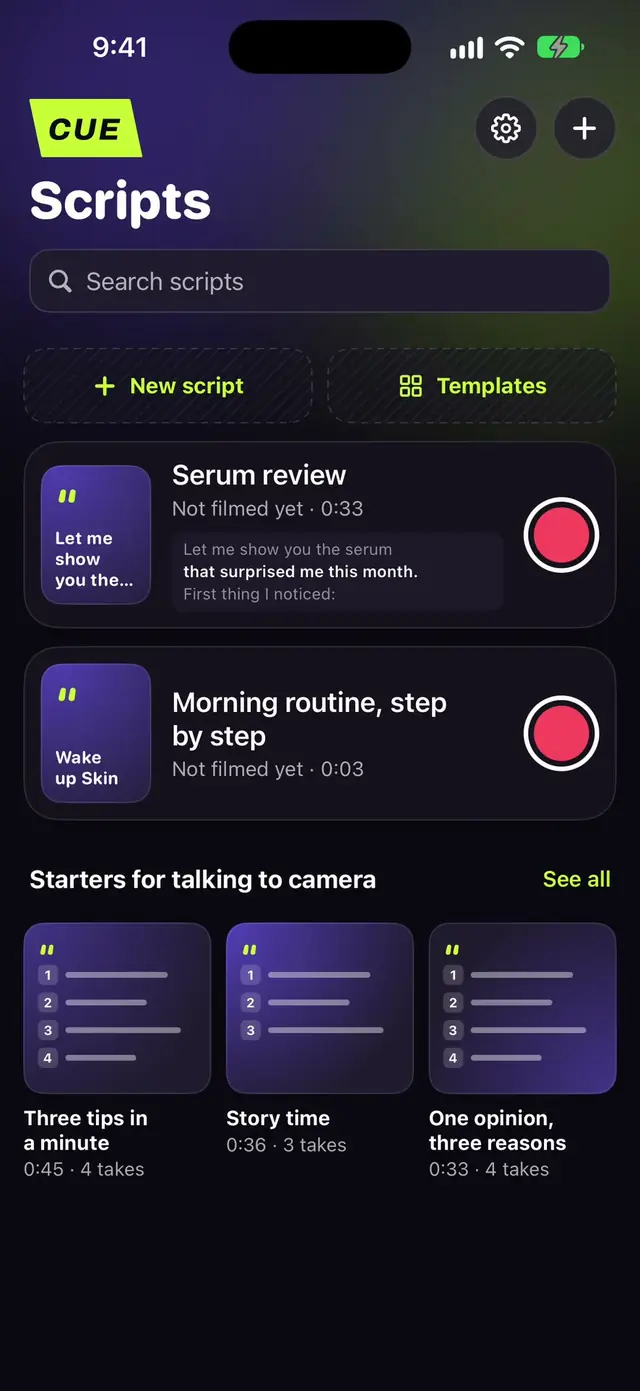
Start from a structure with the takes marked, or open with a ready hook. Starters are free.
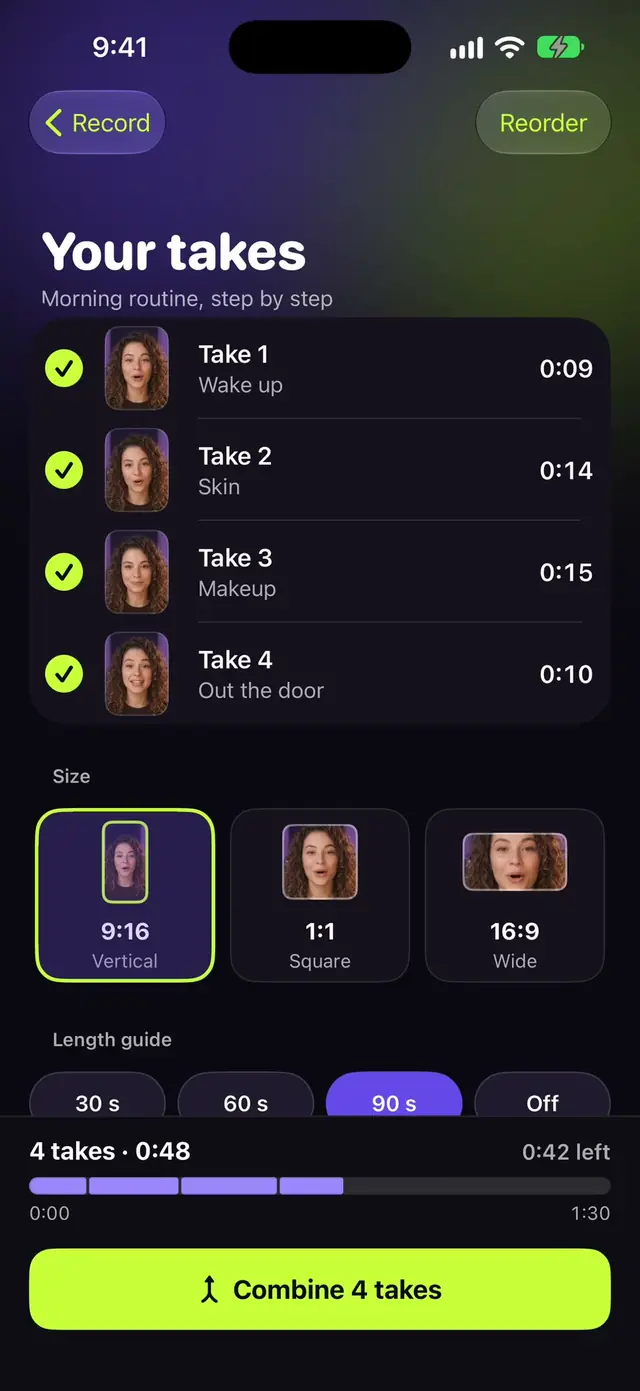
Combine to any of three sizes, with a length guide for 30, 60 or 90 seconds.
Read your script and record audio with no picture, for podcasts and narration.
Start recording from the Lock Screen
Widgets
Your next script on the Home Screen, one tap from the camera.
Control Center
Add a Record control to Control Center, the Lock Screen or the Action button.
Siri and Shortcuts
Ask Siri in English and Cue opens the camera with your latest script loaded.
Spotlight
Search for a script by its title and open it straight from the results.
iPad, in landscape and portrait
The reading card moves to the edge where your iPad's camera is: top centre in landscape, the side edge in portrait. Your scripts open in a grid that fills the screen.
Landscape
Camera at the top: the card sits at the top centre.
Portrait
Camera at the side: the card moves to that side edge.

What Cue costs
Free to download. Cue Pro is optional.
Free
- Teleprompter and camera
- 3 scripts
- Full HD recording
- Starter templates
- Back up your scripts
Cue Pro
- Scripts: Unlimited
- Video quality: 4K
- Templates: All
- Film in takes
- Voiceover on any video
- Record sound only
- AI assistant
- Import scripts
- Export sizes
Bought Cue Pro before 2.0?It stays yours as Lifetime, with everything 2.0 adds.
Questions

What is Cue?
Cue is a teleprompter camera for iPhone and iPad. Your script scrolls on the camera screen, so you read and look at the camera at once. You can film the whole script at once or in takes, and Cue joins the takes into one video.
Is Cue free?
Cue is free to download. Free includes the teleprompter and camera, 3 scripts, Full HD recording, starter templates and script backup. Cue Pro adds unlimited scripts, filming in takes, 4K, audio-only recording, the AI assistant, script import, all templates and export sizes.
How much is Cue Pro?
Cue is free to download. Cue Pro comes as Yearly with a 7-day free trial, Monthly, or Lifetime as a one-time purchase. The App Store shows the price for your country before you pay.
I bought Cue Pro before 2.0. What do I get?
Your purchase stays a Lifetime plan. Every feature 2.0 adds is included, along with future updates, and Cue never shows you an offer to subscribe.
What does film in takes mean?
You split your script into as many parts as you need and record them one at a time. The prompter waits at the start of each part. Re-shoot or trim any take on its own, then Cue joins every take into one video at full quality and saves it to Photos. How filming in takes works
Which AI does Cue use?
Apple Intelligence on iPhones that support it, with no setup. The script text stays on your iPhone.
Does the teleprompter scroll by itself?
Yes. It scrolls at the speed you set, and the speed control stays on screen while you film. Text size, mirror mode for prompter rigs and a countdown are on the recording screen too. How to read a script while recording
Can Cue record in 4K?
Cue Pro records in 4K. Free records in Full HD.
Does Cue work on iPad?
Yes. Cue 2.0 has its own iPad layout. Your scripts open in a grid, and the reading card moves to the edge where your iPad's front camera is, in landscape and in portrait.
Which languages does Cue support?
The app comes in English, Arabic, Spanish (Spain and Mexico), Portuguese (Brazil), French, German, Italian, Turkish and Japanese. Arabic scripts read right to left in the prompter.